
The Ultimate 2026
Email Marketing Calendar
Download the free 2026 Email Marketing Calendar (Google Sheet template) and map out campaigns, content, targeting, tracking, and results—month by month—with a Year Overview that updates automatically.
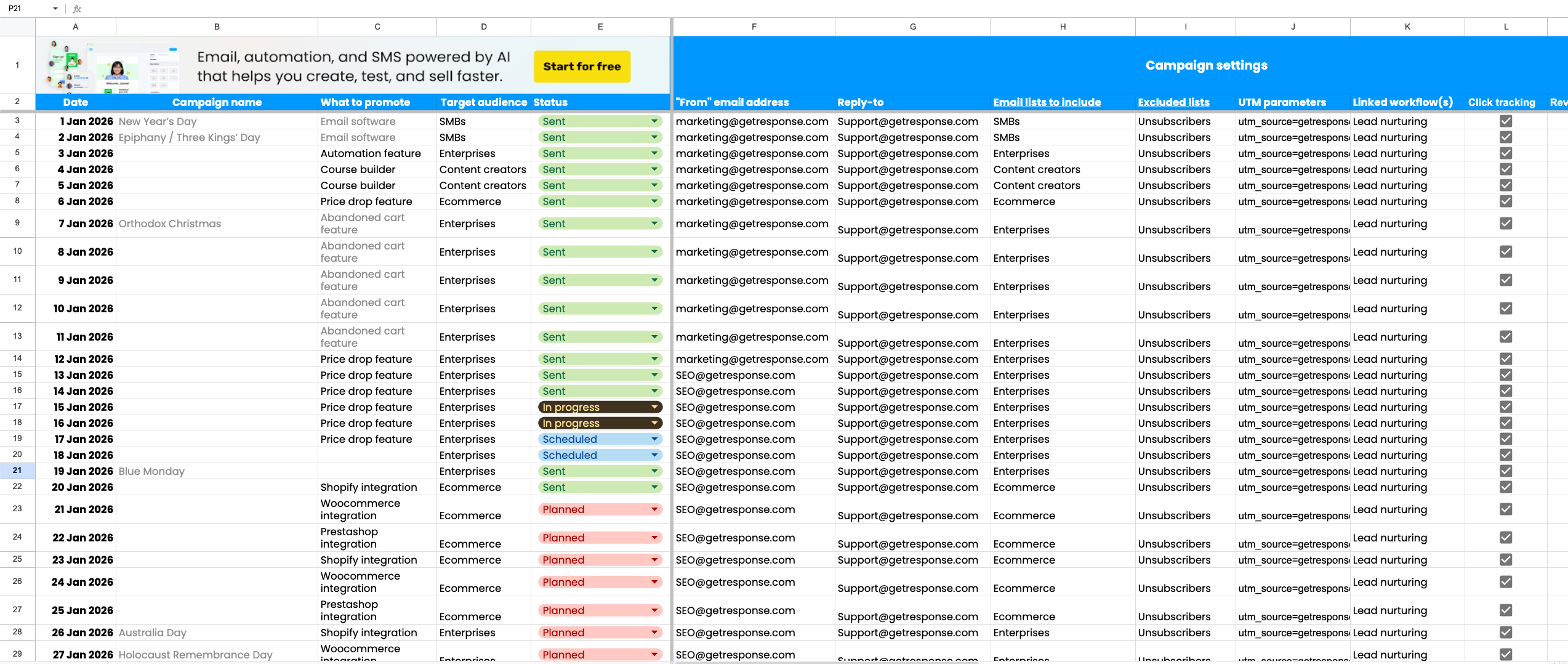
Placeholders for events and holidays or use your own campaign names.
Columns to track your campaigns spanning settings, content, and results
Tabs to track and document campaigns for each month + an annual overview.
See how easy it is to get access
Getting started takes less than 60 seconds. Follow these steps
Sign Up: Enter your name and email in the form below.
Check Your Inbox: We’ll send you a direct link to the Master Google Sheet.
Make It Yours: The link we send is "View Only" to keep the master template clean. To edit, simply click File > Make a copy in the Google Sheets menu.
Grant Access: If prompted, click "Allow access" to enable the custom sign-up banner and automation scripts that make the dashboard work its magic.
Why this calendar works (benefits)
This calendar actually accounts for the technical side of email. You'll be able to see your UTMs and A/B tests right next to your revenue stats. It’s clean, it’s functional, and it’s free.
📋
What you get (for free)
This template is built to help you move from random sends to a structured email program.
A tab for each month of 2026
A year Overview tab with auto updates
Dedicated sections for campaign settings, content & design, and results tracking
🗓️
Your entire year at a glance
Anything you add to any month is automatically reflected in the Year Overview, so you can:
Review the full year in one place
Filter by status/audience/promo type
Stay aligned without manually copying rows
What’s inside the template (quick tour)
Content & performance
✍️ Content & design fields: Subject line, Preview text, Copy
🔗 Links + testing: Preview link + A/B test notes
📊 Results in the same row: plan and measure together
📈 KPI tracking: opens, clicks, bounce, CTO, conversions, revenue
🛡️ Deliverability signals: unsubscribes + spam complaints
🗓️ Auto Year Overview: monthly entries roll up automatically for filtering
Planning & setup
📅 Monthly tabs (Jan–Dec 2026): plan campaigns day-by-day
🧾 Core planning fields: Date, Campaign, Promo, Audience
🔽 Status dropdown: keep every send moving (Planned → Sent)
⚙️ Campaign settings hub: standardize every send in one place
🎯 List + UTM control: include/exclude lists + UTM parameters
✅ Tracking toggles: Click, unsubscribes and Revenue tracking
Do not forget these steps!
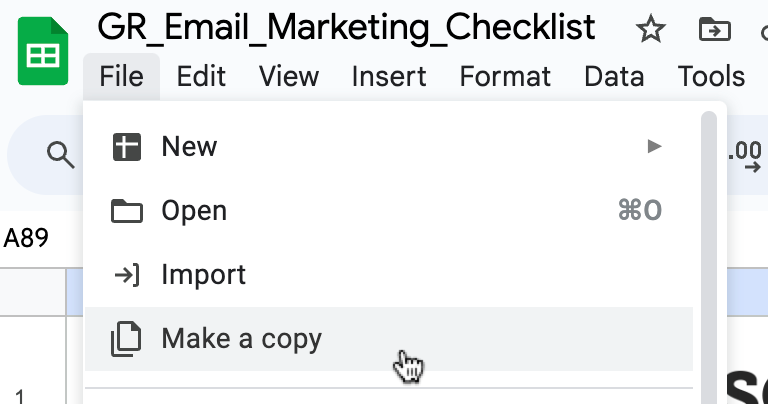
1. Make a copy_
After getting the link to the file, in Google Sheets, click on "File" and then make a copy.
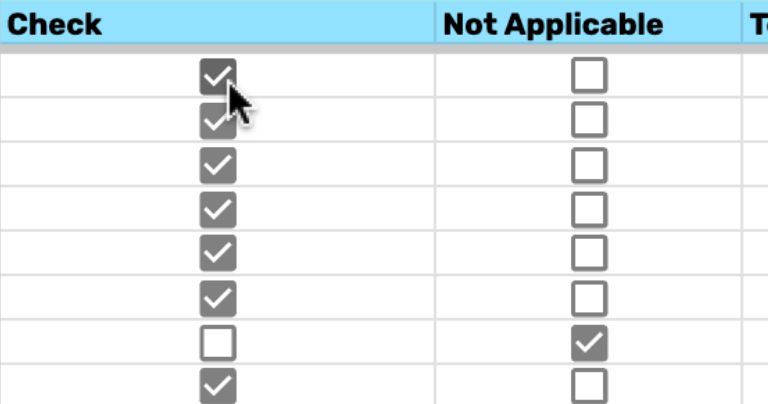
3. Start ticking boxes!
Now that you have your copy of the sheet you can start checking off items on the list!
FAQ
Yes—100% free. No credit card required. You’ll receive a link to the template and can make your own editable copy in Google Sheets.
Fill out the short form with your name and email address. We’ll email you a link to the Google Sheet right away (and you’ll also see the link on the thank-you page).
The link you receive is a view-only master file. To start using your own editable version, open the link and click File → Make a copy. Then edit your copy as you like.
We don’t grant editing access to the master template (so it stays clean for everyone). Instead, create your own editable version via File → Make a copy.
No. You can use the calendar with any email marketing tool. It’s designed as a universal planning + tracking template.
No special software—just a Google account to access Google Sheets in your browser.
Anything you add to a monthly tab is automatically reflected in the Year Overview, so you can review the full year and filter by status, audience, or promo type without copying rows manually.
Yes. Once you’ve made your copy, it’s yours—add columns, rename fields, or create extra tabs for approvals, segments, offers, or anything else you need.
Yes. After you make your copy in Google Sheets, you can download it via File → Download and choose Excel (.xlsx).
First, check your Promotions or Spam folder. If it’s not there after a few minutes, contact us and we’ll help you get the link.
Absolutely. Once you’ve made your own copy, you can share it with teammates and collaborators like any Google Sheet.
Google may prompt you to allow access to display embedded elements (like the sign-up banner). Clicking Allow access ensures everything displays correctly.